




In today’s fast-moving digital environment, clear communication is more important than ever. Whether you are a student, business professional, developer, or content creator, large blocks of text can often make information difficult to understand. Visual content, on the other hand, helps people grasp complex ideas much faster.
This is where AI-powered text-to-diagram generators are transforming the way we present information. Instead of manually designing diagrams, AI tools can instantly convert written text into clear and structured visuals.
In this guide, you will learn how AI converts text into diagrams automatically, why this technology is becoming increasingly popular, and how tools like CorrectifyAI’s Text-to-Diagram Generator make complex information easier to understand.
What Is a Text-to-Diagram Generator?
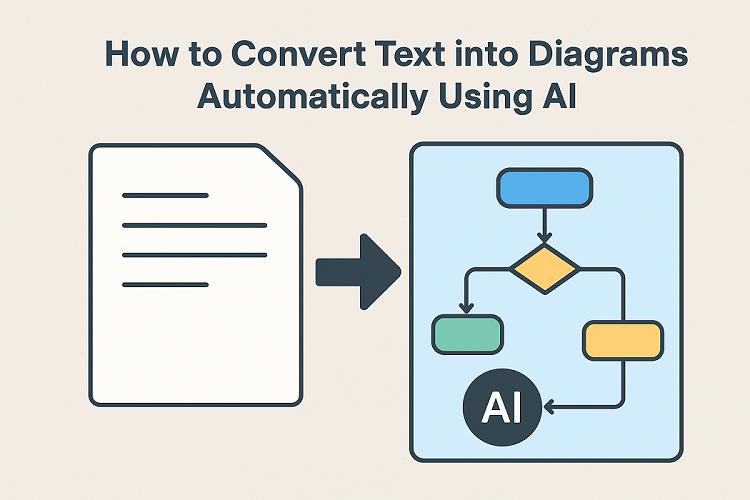
A text-to-diagram generator is an AI-powered tool that analyzes written content and converts it into visual diagrams such as flowcharts, mind maps, process diagrams, and system diagrams.
Instead of manually creating shapes, connecting arrows, and designing layouts, users simply provide text input. The AI then interprets the content and automatically builds a diagram that represents the relationships, structure, or sequence of the information.
For example:
- A paragraph explaining a business process can be converted into a flowchart
- Study notes can become a mind map
- Technical documentation can turn into system architecture diagrams
This automation allows users to focus on ideas and information instead of spending time on manual design work.
Why Manual Diagram Creation Can Be Inefficient
Traditional diagram tools offer powerful features, but they often require significant time and effort. Creating diagrams manually usually involves several challenges.
Users may spend hours designing layouts and positioning elements correctly. Learning complex interfaces can also slow down productivity, especially for beginners. Additionally, manual diagram creation increases the risk of missing steps or misrepresenting information.
For professionals working under tight deadlines, these challenges can create unnecessary bottlenecks. AI-powered tools solve this problem by automating both the understanding of text and the visual representation of information.
How AI Converts Text into Diagrams Automatically
AI-powered diagram generators use Natural Language Processing (NLP) and machine learning to analyze written content and transform it into structured visuals. The process typically happens in three main steps.
Step 1: Text Analysis
The AI begins by reading and analyzing the input text. During this stage, it identifies:
- Key concepts
- Relationships between ideas
- Sequential steps and dependencies
- Hierarchical structures
This allows the system to understand how different parts of the content are connected.
Step 2: Logical Structuring
After analyzing the text, the AI organizes the information into a logical format. Based on the structure of the content, it determines the most suitable diagram type, such as a flowchart, process diagram, or mind map.
Step 3: Visual Diagram Generation
Finally, the AI converts the structured data into a visual diagram using nodes, connectors, and hierarchy levels. The result is a clean, organized diagram that represents the original text clearly.
The entire process happens within seconds and requires no design expertise.
Types of Diagrams You Can Generate from Text
AI-powered text-to-diagram tools can create several types of diagrams depending on how the text is structured. Some of the most commonly generated diagrams include the following.
Flow Diagrams
Flow diagrams illustrate step-by-step processes or workflows. When users provide procedural instructions or process descriptions, AI can convert them into a visual flow of actions, decisions, and outcomes.
Class Diagrams
Class diagrams are commonly used in software development to represent system structures. AI can analyze text describing classes, attributes, and relationships and convert it into a structured class diagram.
ER Diagrams (Entity Relationship Diagrams)
Entity Relationship diagrams are used to design and model databases. When text describes entities, attributes, and relationships, AI can transform that information into a clear ER diagram.
State Diagrams
State diagrams show how a system changes between different states. AI can analyze descriptions of states and transitions and represent them visually.
Sequence Diagrams
Sequence diagrams display how components interact over time. By reading step-by-step interaction descriptions, AI can generate a sequence diagram that shows communication flow and execution order.
Benefits of Using an AI Text-to-Diagram Generator
AI-powered diagram generators offer several advantages that make them valuable for both individuals and teams.
1. Saves Significant Time
What traditionally takes hours to design manually can now be completed in seconds using AI.
2. No Design Experience Required
AI automatically manages layout, visual balance, and connections, making diagram creation accessible to everyone.
3. Improves Understanding
Visual diagrams help people understand complex ideas more quickly and retain information better than plain text.
4. Increases Productivity
By automating diagram creation, users can focus on ideas, analysis, and decision-making rather than formatting visuals.
5. Supports Better Collaboration
Diagrams make it easier for teams to discuss workflows, systems, and strategies compared to long text-based explanations.
Who Can Benefit from Text-to-Diagram AI Tools?
AI-powered diagram generators are useful across many industries and professions.
Students and Educators
Students can convert notes into visual diagrams that simplify complex topics. Educators can also use diagrams to explain concepts more effectively in classrooms.
Business Professionals
Business teams can create workflow diagrams, process maps, and presentation visuals that communicate strategies and operations clearly.
Developers and Product Teams
Software teams often rely on diagrams to visualize system architecture, document technical workflows, and align technical and non-technical stakeholders.
Marketers and Content Creators
Marketing professionals can use diagrams to plan strategies, present ideas to clients, and explain complex concepts in a more engaging way.
How to Convert Text into Diagrams Using CorrectifyAI
Using CorrectifyAI’s Text-to-Diagram Generator is simple and efficient.
First, paste or type your text into the tool.
Next, allow the AI to analyze and organize the information.
Within seconds, the system generates a structured and professional diagram.
Users can then edit, export, or reuse the generated diagram depending on their needs.
This streamlined process removes complexity while maintaining clarity and accuracy.
AI Text-to-Diagram vs Traditional Diagram Tools
When comparing AI-powered diagram generators with traditional diagram tools, the difference in efficiency becomes clear.
AI tools generate diagrams within seconds, while manual tools often require hours of work. AI solutions require no design skills, whereas traditional tools demand familiarity with interfaces and layout design. Additionally, AI helps reduce errors by automatically structuring information logically.
Because of these advantages, AI-powered diagram tools are increasingly becoming the preferred option for professionals who prioritize speed and clarity.
Best Practices for Generating Better AI Diagrams
To achieve the best results when converting text into diagrams, it is helpful to follow a few simple practices.
Use clear and concise sentences when describing processes or ideas. Break long paragraphs into smaller steps whenever possible. Avoid vague or ambiguous wording that may confuse the AI system.
It is also helpful to focus on one process or concept at a time. Structured input text leads to clearer and more accurate diagram outputs.
The Future of AI Text-to-Diagram Technology
As artificial intelligence continues to evolve, text-to-diagram tools are expected to become even more advanced.
Future improvements may include real-time collaboration features, smarter diagram recommendations, and deeper understanding of complex technical content. These tools may also integrate more closely with productivity platforms and documentation software.
With these developments, AI-powered visual communication is likely to become a standard part of modern workflows.
Conclusion
Automatically converting text into diagrams using AI is quickly becoming an essential productivity tool. By turning complex written content into clear visual representations, AI-powered diagram generators help users communicate ideas faster and more effectively.
For individuals and teams who regularly work with detailed information, adopting a text-to-diagram tool like CorrectifyAI can dramatically improve efficiency, clarity, and collaboration.
As AI technology continues to improve, visual communication tools will play an even larger role in simplifying how we share and understand information.
Frequently Asked Questions (FAQs)
What is a text-to-diagram generator?
A text-to-diagram generator is an AI-powered tool that converts written text into visual diagrams such as flowcharts, mind maps, and process diagrams.
How does AI convert text into diagrams?
AI uses Natural Language Processing (NLP) to analyze text, identify relationships and sequences, and convert that structure into a visual diagram.
Do I need design or technical skills to use these tools?
No. Most AI diagram generators are designed for beginners and require only text input. The AI handles the design and layout automatically.
What types of diagrams can be generated from text?
Common diagrams include flowcharts, process diagrams, mind maps, decision trees, system architecture diagrams, and organizational charts.
Are AI-generated diagrams editable?
Yes. Most platforms allow users to edit, customize, and refine diagrams after they are generated.
Who should use AI text-to-diagram tools?
Students, educators, developers, business professionals, marketers, and content creators can all benefit from these tools.
Are AI-generated diagrams suitable for professional use?
Yes. Many businesses use AI diagram tools for presentations, workflow documentation, and project planning.
Can AI text-to-diagram tools improve productivity?
Absolutely. By reducing manual design work and simplifying complex information, AI diagram generators help save time and increase productivity.
Comments