


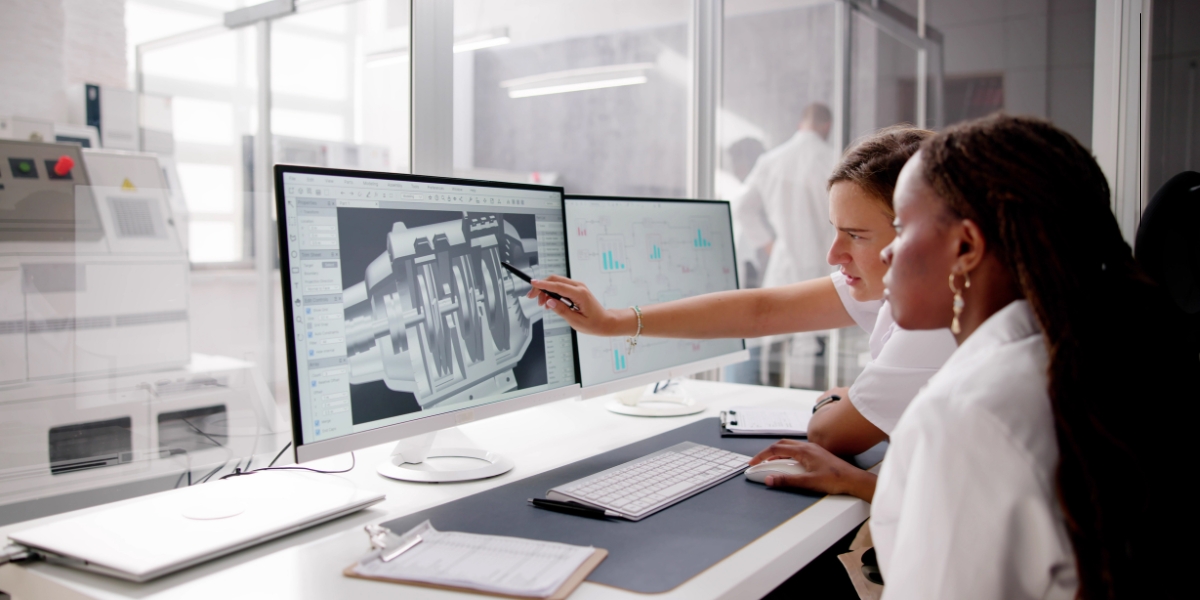
Manufacturing today looks very different from what it was a few decades ago. Faster production, better-quality products, and smarter processes have become the norm. A major reason behind this progress is Computer-Aided Design (CAD). CAD has changed the way companies design, test, and build products by moving most of the work into the digital world before anything physical is made.
This article explains what CAD means in manufacturing, how it is used throughout different stages of production, and why it has become such an essential tool. The goal is to keep things easy to understand—even for readers who may be new to the topic.
What Is CAD in Manufacturing?
Computer-Aided Design (CAD) is software that allows engineers and designers to create detailed drawings and 3D models on a computer. Before CAD, all designs had to be drafted by hand, which took a lot of time and made revisions difficult. CAD changed all of that by giving users the ability to build accurate digital models quickly and adjust them as needed without starting over.
In manufacturing, CAD is far more than a drawing tool. It is the foundation on which the entire product development process is built. A CAD model becomes the reference for:
- Creating manufacturing instructions
- Producing prototypes
- Programming machines
- Planning assembly
- Inspecting final parts
Because everything is digital, it is easier to update, share, test, and improve before spending money on materials or machinery.
How CAD Is Used in the Manufacturing Process
CAD plays a part in almost every step of modern manufacturing. Here’s how companies typically use it:
1. Early Concept and Design
The first stage of product development is turning ideas into visuals. CAD helps designers sketch and build early versions of a product in both 2D and 3D. This allows teams to explore different shapes, styles, or mechanical layouts without needing physical samples.
CAD also makes it simple to test ideas. Designers can adjust dimensions, try new features, and compare alternatives within minutes. This leads to quicker decision-making and better design outcomes.
2. Detailed Engineering
Once a design direction is chosen, CAD helps convert it into a fully detailed engineering model.
This includes:
- Exact dimensions
- Material selection
- Clear labels and notes
- Manufacturing tolerances
- Assembly relationships
Companies rely on CAD software to automatically generate engineering drawings and a Bill of Materials (BOM). This ensures manufacturers have all the details needed to produce the part accurately.
3. Preparing for Manufacturing
CAD models often connect directly to Computer-Aided Manufacturing (CAM) systems. CAM reads the CAD model and uses it to generate instructions for machines like CNC mills, lathes, or 3D printers.
This integration greatly reduces human error because programmers don’t have to re-create the part manually. Any change made in CAD updates the CAM setup as well.
CAD is also used to design:
- Jigs
- Fixtures
- Tools used in production and inspection
The result is smoother manufacturing with fewer delays.
4. Prototyping
Before full production starts, companies usually create one or more prototypes. CAD makes prototyping easier because the same digital file can be sent to:
- 3D printers
- CNC machines
- Rapid prototyping services
This allows teams to hold a real version of the product, test its fit and function, and make improvements. Because the model is digital, updates are quick and do not require re-drawing the entire design.
5. Quality Control and Inspection
After parts are manufactured, they must be checked to ensure they meet the original design requirements. CAD models help in this step as well.
Inspectors compare the finished part to the digital model using tools such as:
- Coordinate Measuring Machines (CMM)
- Laser scanners
- Digital gauges
Since everything is based on the CAD model, measurements are more accurate and consistent.
6. Collaboration Across Teams
CAD improves communication between everyone involved in a product’s development—designers, engineers, manufacturers, quality specialists, and even customers.
Because files are digital, they can be easily shared, reviewed, and revised. Many companies also use cloud-based CAD tools, which allow teams from different locations to work on the same project in real-time.
CAD also connects with systems like PLM (Product Lifecycle Management) and ERP (Enterprise Resource Planning) to track versions, revisions, and documents throughout the product’s entire life.
Key Benefits of Using CAD in Manufacturing
The impact of CAD on modern manufacturing is enormous. Here are some of the top benefits:
1. Higher Productivity
CAD allows engineers to work much faster than hand drafting. They can reuse parts of older designs, make instant changes, and update multiple drawings at once. This reduces design time and speeds up the entire production process.
2. Improved Accuracy and Better Quality
Digital models can be built with extremely precise measurements. This leads to fewer mistakes, better-fitting components, and fewer production errors.
CAD also includes simulation tools that let users test how a design will perform under stress, temperature changes, or motion before anything is manufactured.
3. Lower Costs
CAD reduces costs in several ways:
- Fewer physical prototypes are required
- Design mistakes are caught early
- Waste and rework are minimized
- Machine programming is faster and more accurate
All of this results in significant savings during both design and production.
4. Better Collaboration
Team members can easily share CAD files, comment on them, and work together more effectively. Clear drawings and 3D models remove confusion and make communication easier.
Cloud-based systems also allow remote teams to stay connected and productive.
5. More Design Flexibility
CAD makes it simple to try new ideas, test different versions, or go back to previous design stages without losing progress. This encourages creativity and leads to more innovative products.
6. Full Lifecycle Support
Because CAD files can be stored, organized, and updated, they become long-term records that support:
- Manufacturing
- Maintenance
- Repairs
- Future upgrades
This makes it easier for companies to manage products from start to finish.
7. Environmentally Friendly Production
Simulation and testing in CAD help companies use materials more efficiently, reduce scrap, and avoid unnecessary trial-and-error. This makes manufacturing processes more sustainable.
Why Companies Use Professional CAD Services
While many companies have in-house design teams, others prefer to work with experienced CAD service providers. Outsourcing mechanical CAD work offers benefits such as:
- Access to skilled designers
- Faster turnaround times
- Expert knowledge of manufacturing standards
- Reduced overhead costs
One reliable option for this type of support is Mechanical CAD Services, which provides specialized design solutions for manufacturing projects of all sizes.
The Future of CAD in Manufacturing
CAD technology continues to evolve quickly. Some of the major trends shaping its future include:
- Cloud-based CAD for real-time teamwork
- AI-powered tools that suggest design improvements
- Digital twins, which create virtual copies of physical products
- AR and VR, allowing immersive 3D design reviews
- Smart automation, where CAD interacts with machine learning and robotics
These advancements will make design faster, more intelligent, and more connected than ever.
Conclusion
CAD has become a key part of the modern manufacturing world. It simplifies complex tasks, improves communication, lowers costs, and helps companies create better products in less time. From early sketches to quality inspection, CAD supports every stage of the product journey.
Whether a business has its own team or works with professional CAD providers, the value CAD brings is impossible to ignore. As technology continues to improve, CAD will remain at the center of innovation, helping manufacturers stay competitive and efficient in a rapidly changing industry.
Comments